Ever run docker ps and wonder which docker-compose.yml actually spun up a given container? Compose tags every container with a working_dir label — you can pull it straight into your docker ps output:
docker ps --format 'table {{.Names}}\t{{.Image}}\t{{.RunningFor}}\t{{.Label "com.docker.compose.project.working_dir"}}'
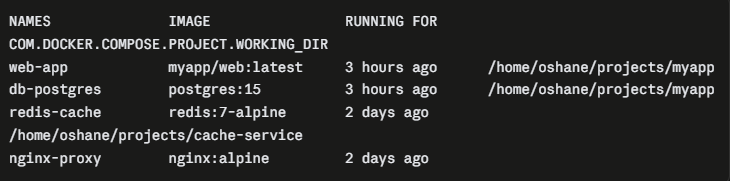
One line, no docker inspect loop required. You get the container name, image, how long it’s been running, and the exact directory its compose file lives in — handy when you’re juggling multiple projects on the same host.