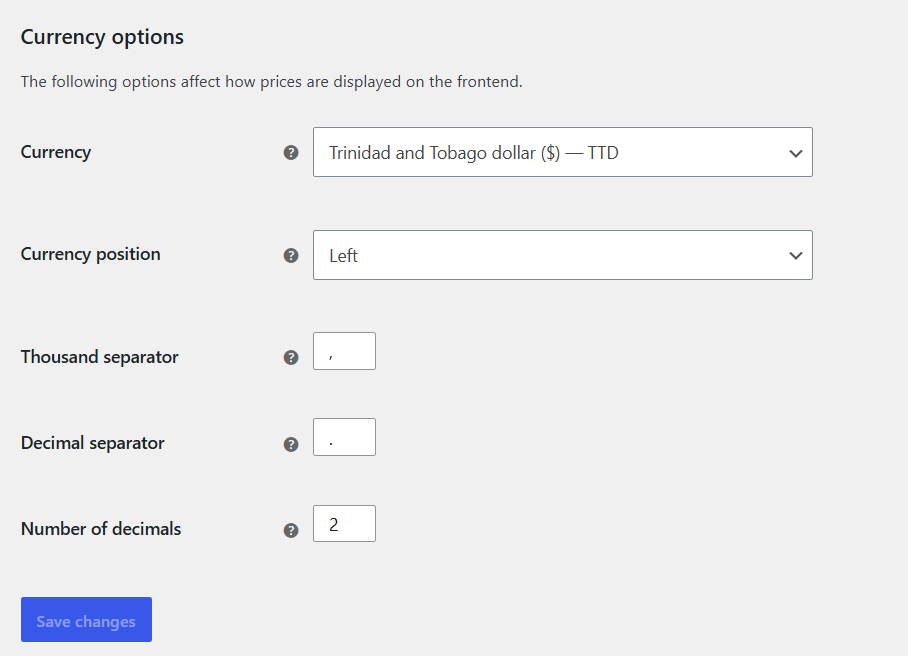
I assisting someone to setup their TT PayPal account to start accept payments, when I noticed this error popped up upon processing a payment:
The COMPLIANCE_VIOLATION error on a Trinidad and Tobago PayPal account typically means the transaction was blocked because of regional restrictions, currency mismatches, or compliance checks triggered by PayPal’s risk engine.

Common Causes & Fixes
- Restricted Currencies or Cross-Border Rules: Trinidad and Tobago PayPal accounts have specific limitations on receiving or processing certain currencies (such as local TTD vs. USD). Ensure your store’s currency in WordPress/WooCommerce matches what your PayPal account is configured to accept.
- Domestic vs. International Settings: If your store or the customer’s billing/shipping address trips a cross-border or restricted-region flag, PayPal may block the call with a compliance error.
- PayPal Account Limitations: Log into your PayPal Business Dashboard to check if there are unresolved compliance tasks, missing KYC (Know Your Customer) documentation, or limited receiving/withdrawal capabilities for Caribbean-based accounts.
- IP / Geo-Mismatch: If the checkout session involves a mismatch between the buyer’s IP address, billing address country, and the merchant’s Trinidad and Tobago registration, the automated risk controls may flag it.
- Plugin Configuration (WooCommerce / PayPal Checkout): Make sure your WordPress PayPal plugin (such as WooCommerce PayPal Payments) is set to Live mode rather than Sandbox, and that your API Client ID and Secret keys are freshly regenerated and synced.
If anyone has any experience in resolving issues like this, please let me know.